
Become a Developer
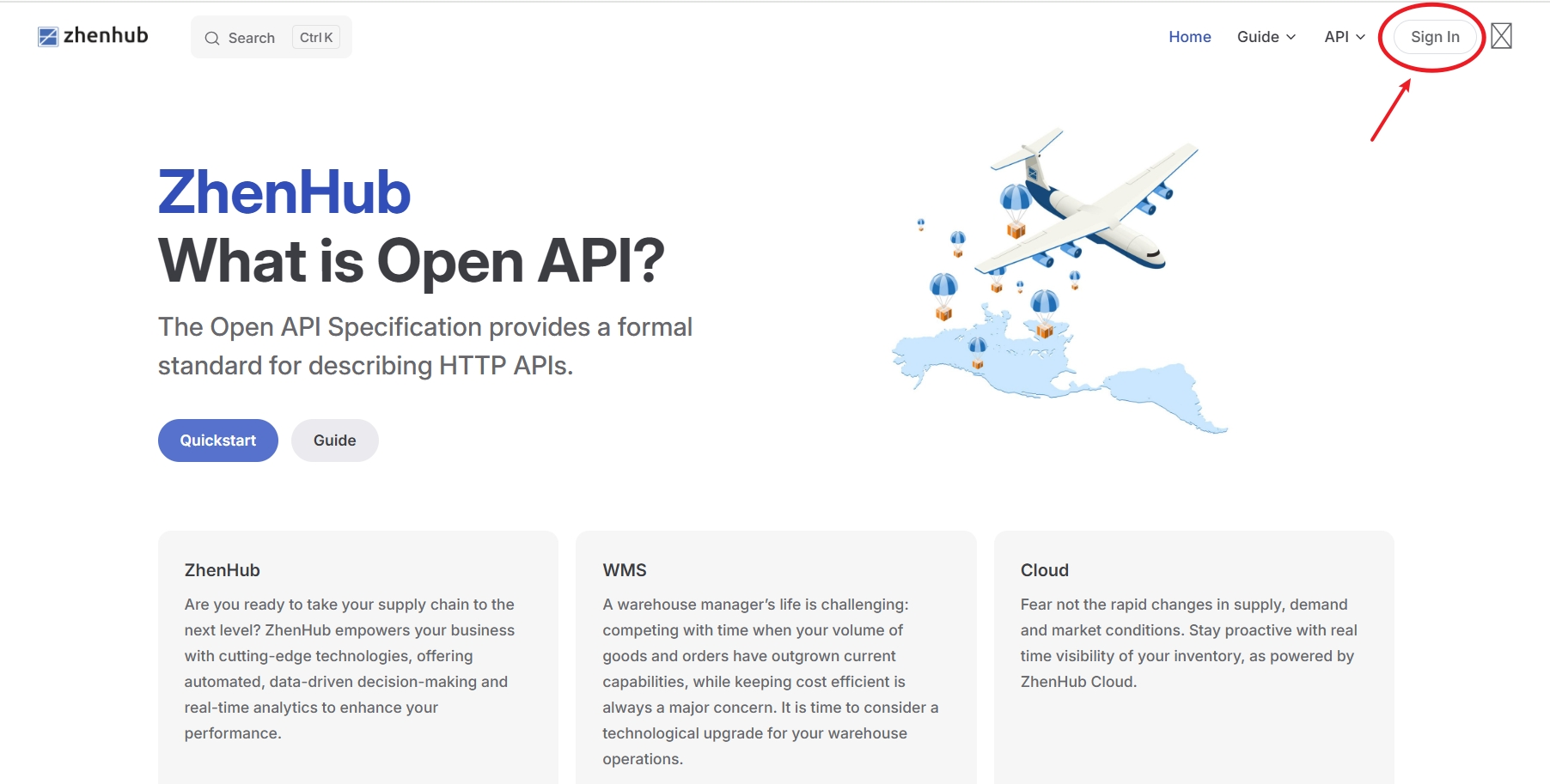
Click [Sign In] to go to the login page.
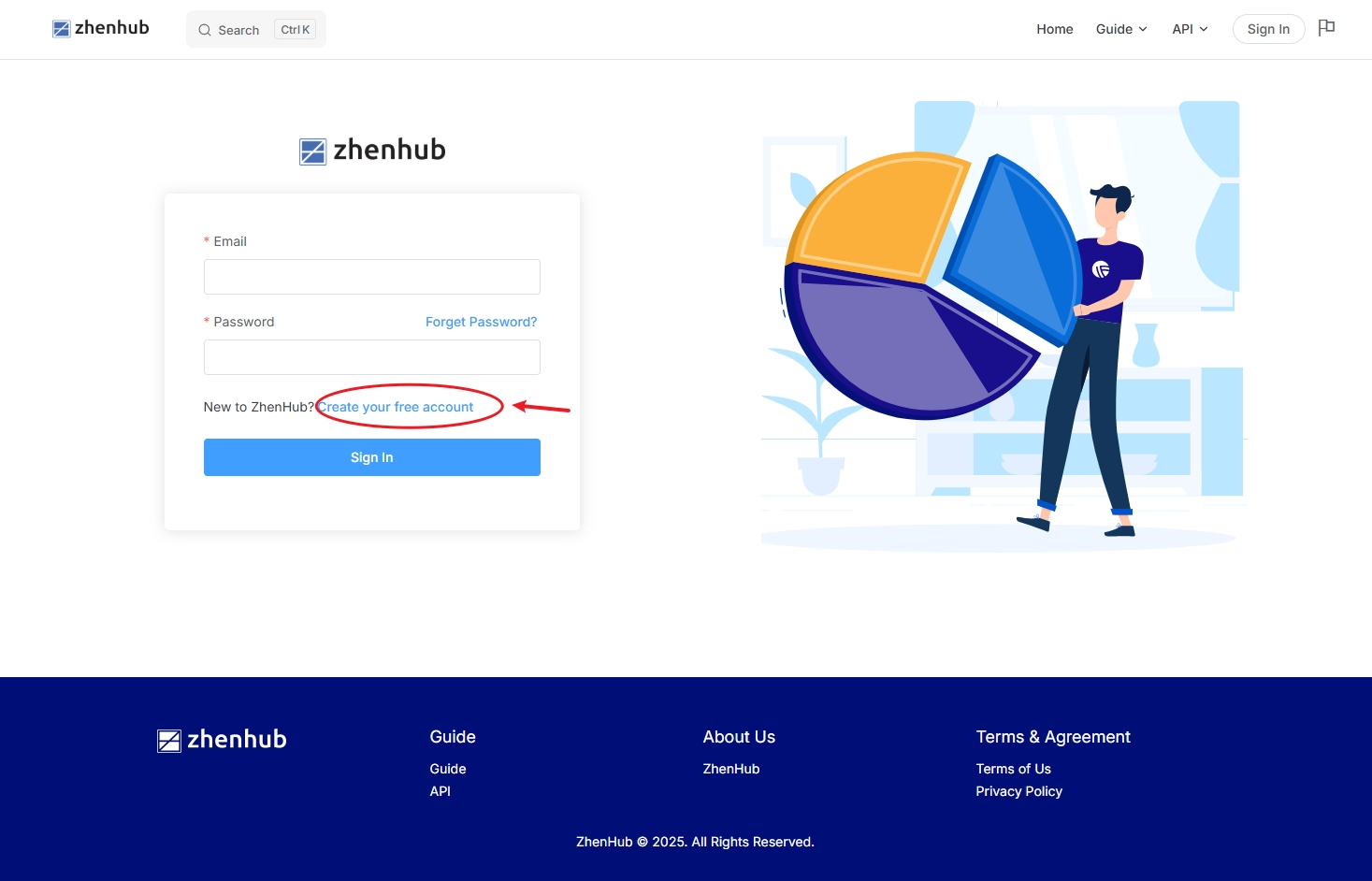
Click [Create your free account] to proceed to the registration page.
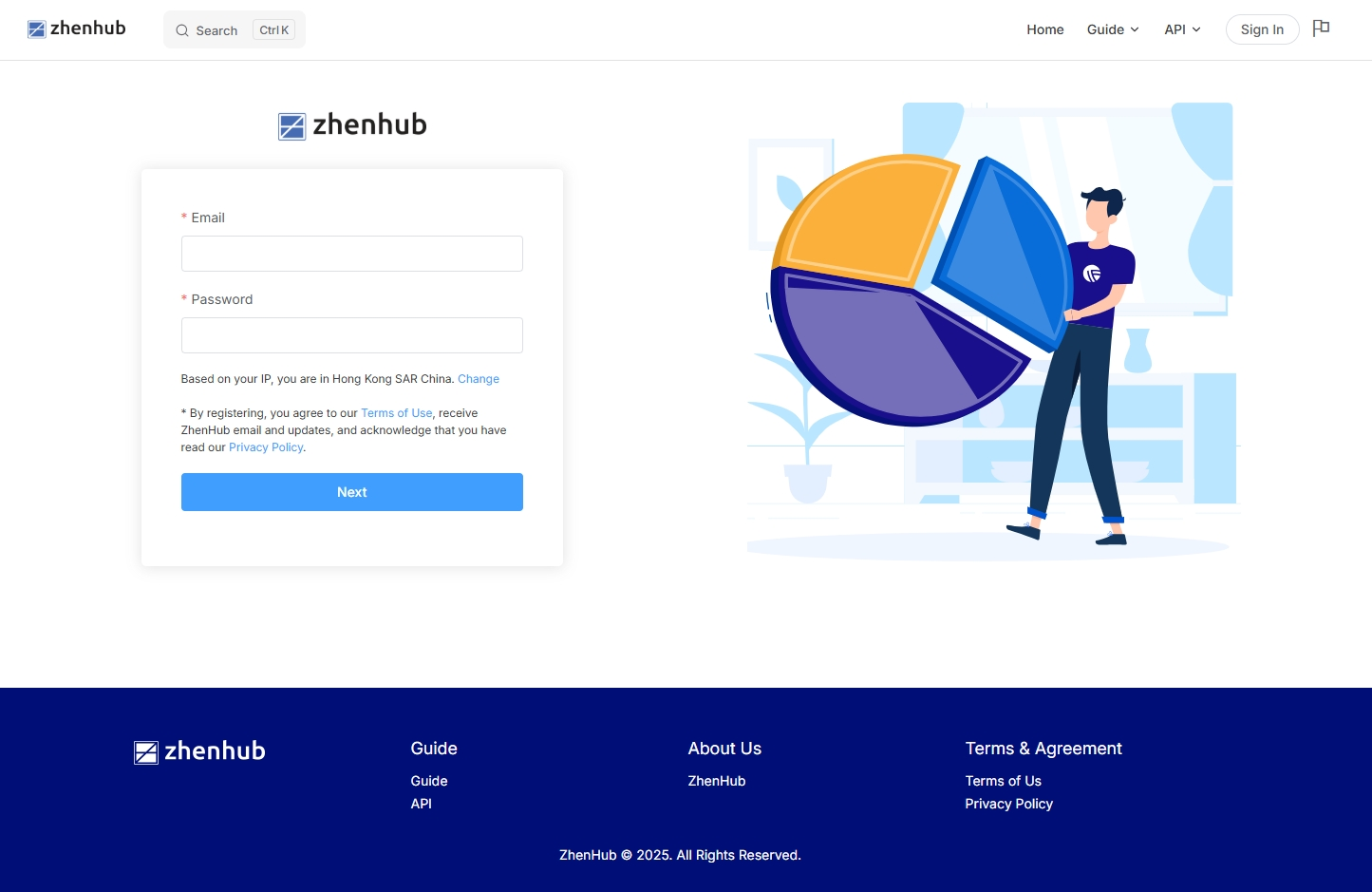
Enter a valid [Email] and a compliant [Password], select your region, then click the [Next] button.
Note: Before registering, please carefully read the [Terms of Use] and [Privacy Policy]. By proceeding to the next step, you acknowledge and agree to these policies.
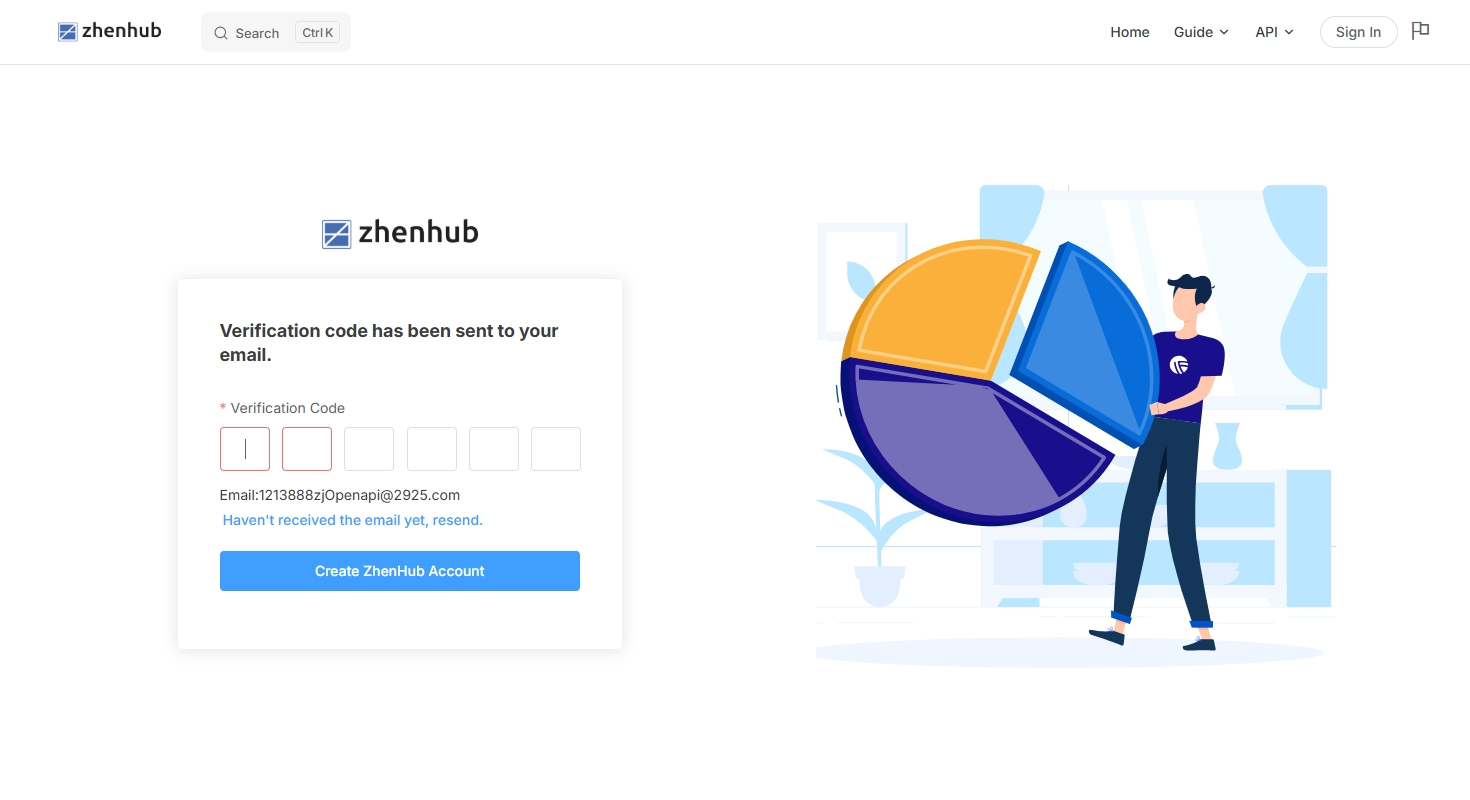
Open the verification email in your inbox and enter the verification code shown in the email (see the picture below) to complete the verification.
Note: The verification email may be in your spam folder. If you do not receive the verification code after a long wait, you can request to resend it to your mailbox.
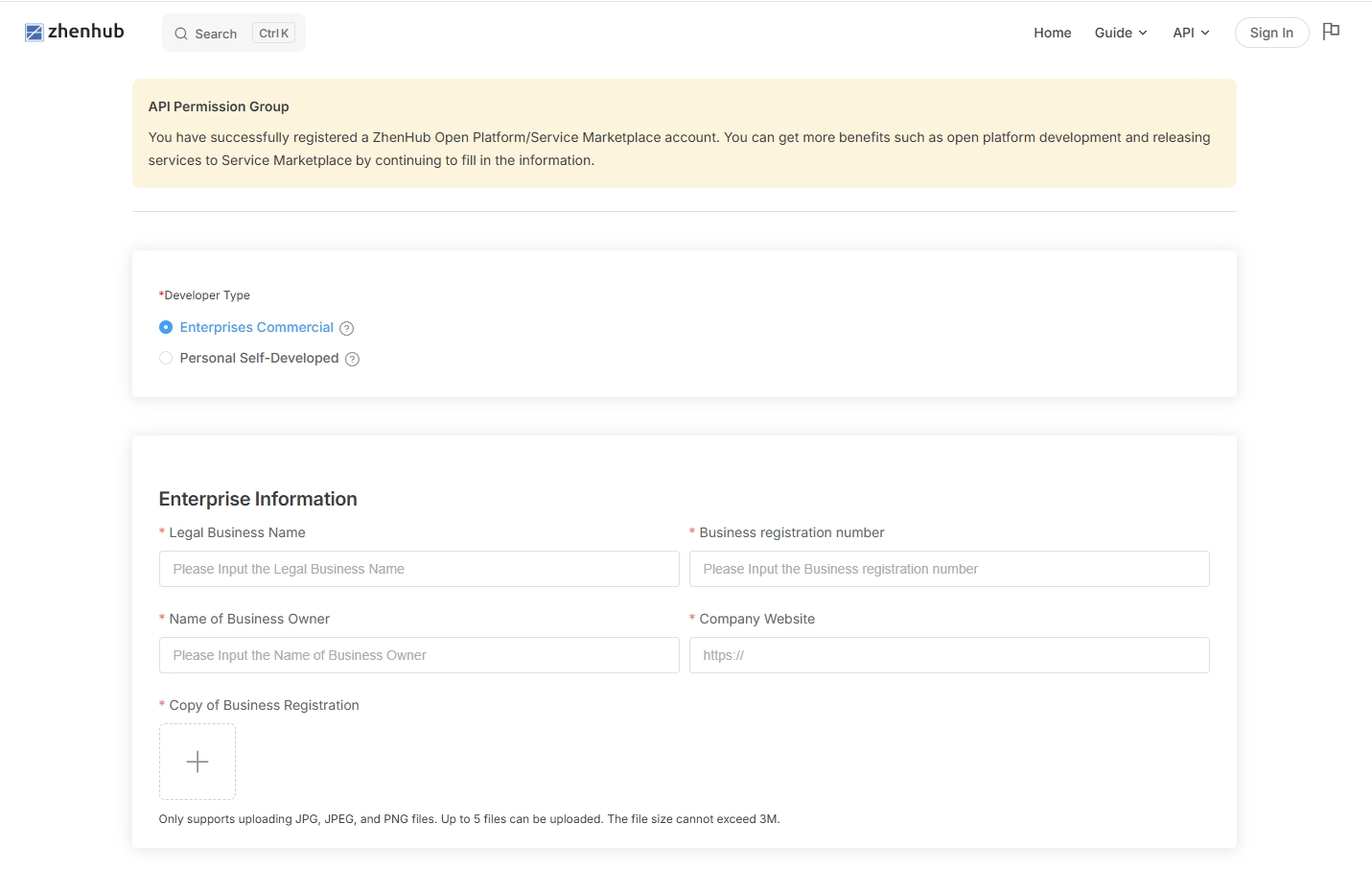
After your account is successfully created, please complete your business or personal information as required on the page. This information is used solely by ZhenHub to verify your identity and will not be used for any other purposes.
Note: Only developers registered as a business entity are permitted to publish services to the service market for sellers to order.
Once you have completed the information, you can log in to the Developer Center to create your app and start development.